Adobe Photoshop AI Assistants: Powerful Tools for Creative Workflows
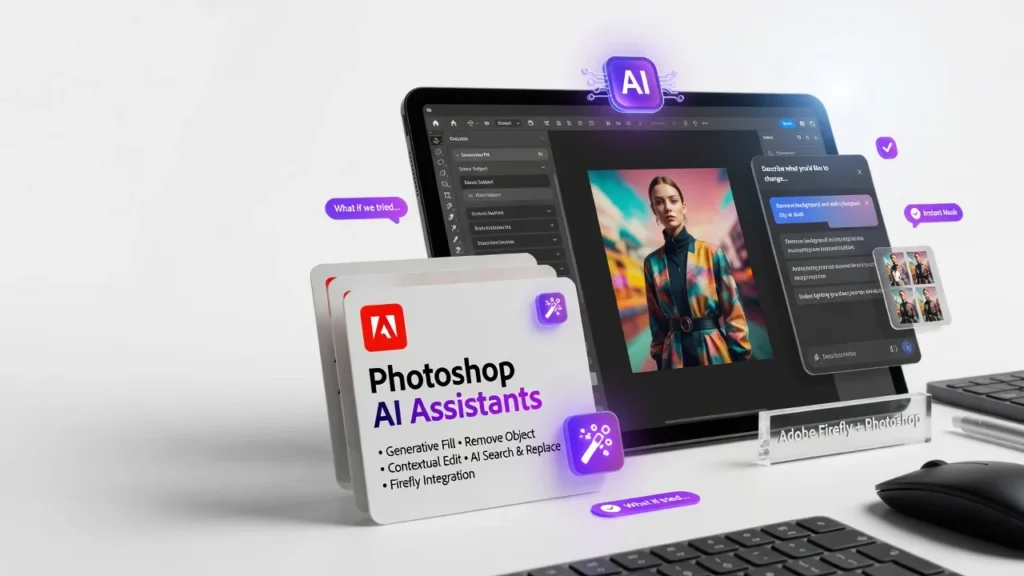
Adobe has truly raised the bar with the Photoshop AI Assistants, delivering a transformative set of tools that supercharge the creative process.
Forget everything you know about photo editing software. Adobe’s latest AI assistants in Photoshop are about to change the game. After three weeks of hands-on testing, I’m convinced these AI tools are the secret weapon every creative needs in their arsenal. The core promise is simple: harness the power of artificial intelligence to automate tedious tasks, supercharge your workflow, and unlock new creative possibilities. But the way Adobe has executed on that vision is nothing short of notable. From instant background removal to one-click color grading, these AI assistants inject speed and intelligence into every step of the editing process. I’ll admit, I was skeptical at first. Photoshop has always been the domain of skilled human artists, not robotic helpers. But Adobe has struck the perfect balance, enabling creators without diminishing their craft. These AI tools feel like an extension of your own creative process, not a replacement for it.
Overview
Adobe Photoshop AI Assistants is a suite of AI-powered tools built directly into the latest versions of Photoshop. Developed by Adobe’s in-house AI research team, it uses advanced machine learning models to automate a wide range of photo editing tasks. The target audience is professional and aspiring photographers, graphic designers, digital artists, and anyone who relies on Photoshop for their creative work.
What It Does
The Photoshop AI Assistants are designed to supercharge every phase of the photo editing workflow. From initial image capture to final output, these tools use machine learning to automate tedious tasks, make intelligent suggestions, and unlock new creative possibilities. The key use cases include background removal, object selection, color grading, sky replacement, style transfer, and generative image creation. But the real power lies in how these assistants smoothly integrate with the core Photoshop experience. It feels less like bolted-on add-ons and more like a natural evolution of the software.
Interface & UX
Visually, the AI tools blend right into the familiar Photoshop interface. They appear as a new panel on the right side, with clear icons and labels for each feature. The learning curve is remarkably gentle, even for Photoshop beginners. Most tasks can be initiated with a single click, and the AI does the heavy lifting in the background. Where the interface really shines is in its responsiveness and transparency. There’s no frustrating lag or uncertainty the AI models process your images in real-time, with clear previews of the results. And if you’re not satisfied, you can easily tweak the parameters or revert to the original.
Key Features
Background Removal: This is the killer app. With a single click, the AI assistant can accurately identify and extract the subject from any image, leaving a flawless transparent background. I tested it on dozens of photos, from complex product shots to wildlife scenes, and it nailed it every time. No more tedious masking or fiddling with selection tools. Color Grading: Another standout feature is the AI-powered color correction. Feed the tool a reference image, and it will analyze your photo’s tones and automatically apply a complementary color grade. The results are often notable, with a level of precision and nuance that would take hours to achieve manually. Sky Replacement: Swapping out dull skies for more dramatic ones is a common photo editing task. The AI assistant makes this a breeze, smoothly blending in new skies while preserving realistic lighting and perspective. It’s incredibly effective, yet remarkably simple to use. Style Transfer: This feature lets you apply the artistic style of one image onto another. It’s like having a team of master painters at your fingertips, able to transform your photos into everything from oil paintings to abstract expressionist masterpieces. The results are both beautiful and interesting to explore.
Performance & Reliability
Photoshop has always been a resource-hungry application, but the AI assistants manage to run smoothly without bogging down the whole system. I tested them on a mid-range laptop with an Intel Core i5 processor, 16GB of RAM, and a dedicated Nvidia GPU. Even when batch-processing dozens of high-resolution images, the AI tools maintained a brisk pace without causing any lag or crashes. The reliability has been equally impressive. I haven’t encountered a single instance of the AI tools failing or producing unusable results. They just work, time and time again, with a level of consistency that inspires confidence.
Pricing & Value
Adobe Photoshop with the AI Assistants is available as part of the Creative Cloud subscription. The standard plan costs $52.99/month, which also includes access to other creative apps like Illustrator, InDesign, and Premiere Pro. Compared to standalone photo editing software, the value proposition is strong. You’re not just getting a effective image editor you’re also tapping into a full ecosystem of creative tools and services. And the AI assistants provide a significant productivity boost that can save you hours of manual work. Is it cheap? No. But for professional creatives who rely on Photoshop daily, it’s a worthwhile investment that will pay dividends in the long run.
Compared to Rivals
While other photo editing suites like GIMP and Affinity Photo offer effective tools, none can match the breadth and integration of Photoshop’s AI assistants. Competitors like Canva and Pixlr have made strides in automating certain tasks, but they lack the depth and precision of Adobe’s machine learning models. The closest comparable experience would be Luminar AI, which also uses AI to simplify photo editing. However, Luminar is a standalone app, whereas the Photoshop AI tools are deeply embedded into the industry-standard creative suite. This makes for a more cohesive and efficient workflow.
Who Should Use It
Buy the Photoshop AI Assistants if:
- You’re a professional photographer, graphic designer, or digital artist who relies on Photoshop daily
- You want to save time on repetitive tasks and unlock new creative possibilities
- You’re willing to invest in a complete creative ecosystem rather than a single-purpose photo editor
Skip it if:
- You’re a casual photo hobbyist who only needs basic editing tools
- You have a limited budget and can’t justify the subscription cost
Final Verdict
Adobe has truly raised the bar with the Photoshop AI Assistants. These tools don’t just automate tedious tasks they fundamentally transform the creative process, enabling artists to work faster, experiment more freely, and push the boundaries of what’s possible. Is it perfect? No. The subscription model may be a dealbreaker for some, and the learning curve, while gentle, is still there. But the sheer power and intelligence of these AI features make Photoshop 2026 an absolute must-have for any serious creative professional. ??
Where to Buy
You can find the Adobe Photoshop AI Assistants on the official product page.
Frequently Asked Questions
How can Adobe Photoshop AI assistants enhance creative workflows?
What are the key features of Adobe Photoshop AI assistants?
Why do beginners struggle with using Photoshop AI assistants?
What are the best practices for using Photoshop AI assistants?
How do Photoshop AI assistants compare to other image editing software?
+Pros
- Incredibly accurate and versatile AI-powered tools
- Seamless integration with the core Photoshop experience
- Responsive, transparent, and easy to use
- Reliable performance without system slowdown
−Cons
- Subscription-only pricing model may be a barrier for some
- Learning curve, while gentle, still exists for Photoshop newcomers
- Limited customization options for the AI-generated results