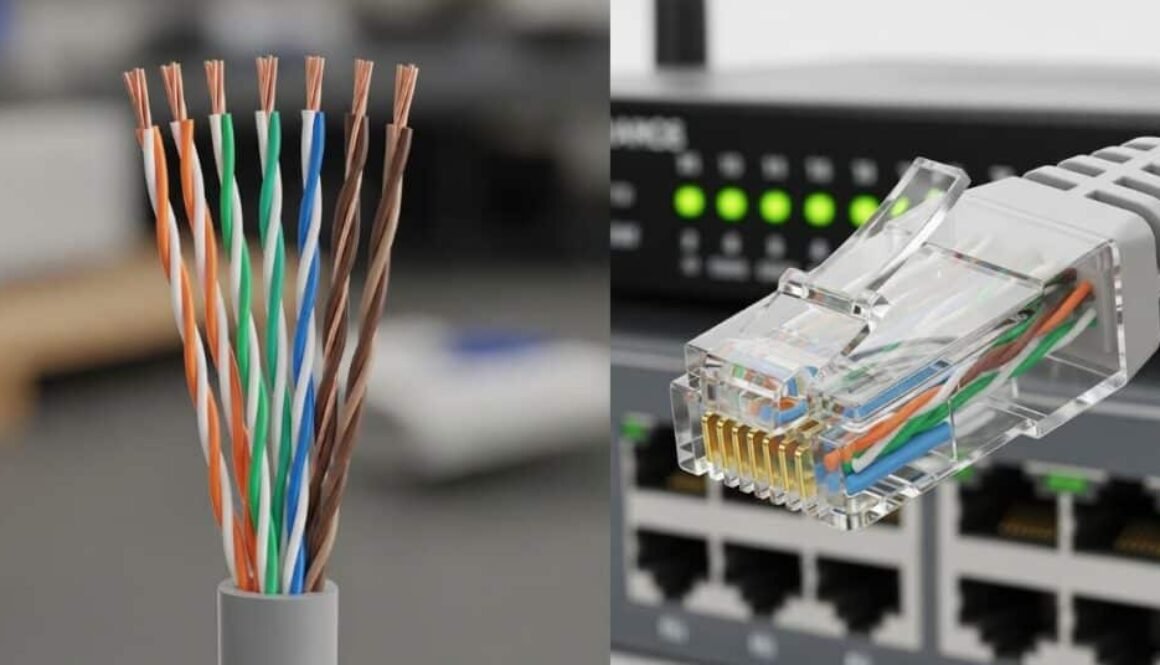
RJ45 Color Code and Cat 6 Color Code: Complete Wiring Guide
Correct Ethernet wiring is essential for stable internet speed, reliable data transfer, and professional network installations. Whether you’re setting up a home network or working on structured cabling for offices, understanding the RJ45 color code and Cat 6 color code ensures your cables are connected properly and perform at full capacity.
This guide explains Ethernet wiring standards, pin configurations, and step-by-step cable arrangements for both beginners and professionals.
What Is an RJ45 Connector?

An RJ45 connector is the standard plug used for Ethernet networking cables. It connects devices such as:
- Routers
- Switches
- Computers
- Modems
- Patch panels
RJ45 connectors are used with twisted-pair cables like Cat5e, Cat6, Cat6a, and Cat7 to transmit data efficiently.
These connectors follow standardized wiring patterns developed by the Telecommunications Industry Association to ensure compatibility across devices and networks.
Understanding Ethernet Wiring Standards
Ethernet cables use 8 wires (4 twisted pairs). Each pair has a solid color wire and a striped wire.
There are two official wiring standards:
1. T568A Standard
2. T568B Standard
Both standards work the same electrically. The only difference is the order of colored wires.
Most modern networks use T568B, but T568A is still common in government and residential installations.
RJ45 Color Code (Pinout Order)
When holding the RJ45 connector with the clip facing away and pins facing up, the wires are inserted from left to right (Pin 1 → Pin 8).
🟢 T568A RJ45 Color Code
| Pin | Wire Color |
| 1 | White/Green |
| 2 | Green |
| 3 | White/Orange |
| 4 | Blue |
| 5 | White/Blue |
| 6 | Orange |
| 7 | White/Brown |
| 8 | Brown |
🟠 T568B RJ45 Color Code (Most Common)
| Pin | Wire Color |
| 1 | White/Orange |
| 2 | Orange |
| 3 | White/Green |
| 4 | Blue |
| 5 | White/Blue |
| 6 | Green |
| 7 | White/Brown |
| 8 | Brown |
Key Difference Between T568A and T568B
The green and orange pairs are swapped.
Everything else remains identical.
| Pair | T568A | T568B |
| Pair 2 | Green | Orange |
| Pair 3 | Orange | Green |
What Is Cat 6 Cable?

Category 6 (Cat 6) is a high-performance Ethernet cable designed for:
- Gigabit Ethernet (1 Gbps)
- 10 Gigabit Ethernet (up to 55 meters)
- Reduced crosstalk
- Higher bandwidth (250 MHz)
Cat 6 cables contain:
- 4 tightly twisted copper wire pairs
- Internal spline (plastic separator)
- Thicker insulation than Cat5e
Cat 6 Color Code
The Cat 6 color code is exactly the same as standard RJ45 wiring because Cat 6 cables still use 8 twisted copper wires.
So, Cat 6 cables follow:
- T568A color order
- T568B color order
Most installers prefer T568B for Cat 6 patch cables.
🟠 Cat 6 Color Code (T568B – Recommended)
- White/Orange
- Orange
- White/Green
- Blue
- White/Blue
- Green
- White/Brown
- Brown
Straight-Through vs Crossover Cable
✅ Straight-Through Cable
Both ends use the same wiring standard.
- T568A → T568A
- T568B → T568B
Used for:
- PC → Switch
- Router → Switch
- Modem → Router
🔄 Crossover Cable
Each end uses a different standard.
- One end: T568A
- Other end: T568B
Used for:
- PC → PC
- Switch → Switch (older devices)
Modern devices often support Auto-MDI/X, reducing the need for crossover cables.
How to Wire an RJ45 Cat 6 Cable (Step-by-Step)

Tools Required
- Cat 6 Ethernet cable
- RJ45 connectors
- Crimping tool
- Wire stripper
- Cable tester
Step 1: Strip the Cable
Remove about 1 inch of the outer jacket carefully.
Step 2: Untwist the Wire Pairs
Separate and straighten the 8 wires.
Step 3: Arrange Wires by Color Code
Choose T568A or T568B and align wires in the correct order.
Step 4: Trim Evenly
Cut wires so they are equal length.
Step 5: Insert into RJ45 Connector
Slide wires into the connector fully. Each wire must reach the end.
Step 6: Crimp the Connector
Use a crimping tool to secure the pins.
Step 7: Test the Cable
Use a LAN cable tester to confirm correct wiring.
RJ45 Pin Functions
| Pins | Function |
| 1 & 2 | Transmit Data |
| 3 & 6 | Receive Data |
| 4,5,7,8 | Power / Reserved (PoE & Gigabit use) |
Gigabit Ethernet uses all 8 wires.
Common Mistakes to Avoid
❌ Mixing T568A on one end and T568B on the other (unless crossover needed)
❌ Not inserting wires fully
❌ Excessive untwisting (reduces performance)
❌ Using low-quality connectors
❌ Poor crimping
When to Use Cat 6 Over Cat 5e
Choose Cat 6 if you need:
- Faster speeds
- Future-proof wiring
- Reduced interference
- Office or enterprise networks
- Gaming and streaming stability
Cat 5e is fine for basic home use, but Cat 6 is better long-term.
what is the difference between RJ45 Color Code and Cat 6 Color Code
The difference between RJ45 color code and Cat 6 color code is mostly about context, not the actual wiring, which can be a bit confusing at first. Let’s break it down clearly:
1. RJ45 Color Code
- Definition: Refers to the pinout wiring sequence for an RJ45 connector (the plug you see on Ethernet cables).
- Purpose: Ensures that the 8 wires inside a network cable are connected correctly for proper data transmission.
- Standards: Uses T568A and T568B wiring standards.
- Application: Applies to any Ethernet cable (Cat5e, Cat6, Cat6a, etc.), as long as it uses an RJ45 connector.
- Example (T568B):
- White/Orange
- Orange
- White/Green
- Blue
- White/Blue
- Green
- White/Brown
- Brown
- White/Orange
✅ Key point: RJ45 color code is about how wires are arranged in the connector.
2. Cat 6 Color Code
- Definition: Refers to the color coding of the twisted pairs inside a Cat 6 cable.
- Purpose: Helps identify which wires go into which pin of an RJ45 connector.
- Standards: Cat 6 cables also follow T568A or T568B color codes for RJ45 pinouts.
- Application: Specific to Cat 6 cables, which are higher-performance Ethernet cables capable of gigabit and 10G speeds.
- Example: The internal wire pairs in a Cat 6 cable are colored orange, green, blue, brown, just like in RJ45 wiring standards.
✅ Key point: Cat 6 color code is about the internal cable wiring, but it matches the RJ45 color code when terminated.
🔹 Main Difference
| Aspect | RJ45 Color Code | Cat 6 Color Code |
| What it describes | How wires are connected to the RJ45 plug pins | How wires are inside the Cat 6 cable |
| Scope | All Ethernet cables using RJ45 | Specifically Cat 6 (and sometimes Cat 6a) cables |
| Focus | Connector pinout order (T568A/T568B) | Wire pair identification inside cable |
| Standards used | T568A / T568B | Same T568A / T568B when terminated |
💡 In simple terms: The RJ45 color code is the “map” for plugging the wires into the connector, while the Cat 6 color code describes the cable’s internal wire colors. When installing Cat 6 cables, you apply RJ45 color codes to Cat 6 wires.
Frequently Asked Questions (FAQs)
1. Is RJ45 the same as Ethernet?
RJ45 is the connector; Ethernet is the networking technology.
2. Which color code is most used?
T568B is the most widely used standard worldwide.
3. Does Cat 6 require a different color code?
No. Cat 6 uses the same T568A and T568B wiring standards.
4. What happens if color codes are wrong?
The cable may not work, or speed and stability will suffer.
5. Can I mix Cat 5e and Cat 6 cables?
Yes, but performance will match the lowest cable category.
6. Is Cat 6 good for gaming?
Yes. It provides stable, low-latency connections ideal for gaming and streaming.
Final Thoughts
Understanding the RJ45 color code and Cat 6 color code is essential for reliable networking. Following proper wiring standards ensures:
✔ Faster data transfer
✔ Stable internet connection
✔ Professional installations
✔ Long-lasting cables
If you’re setting up a new network, Cat 6 with T568B wiring is the most reliable and future-ready choice