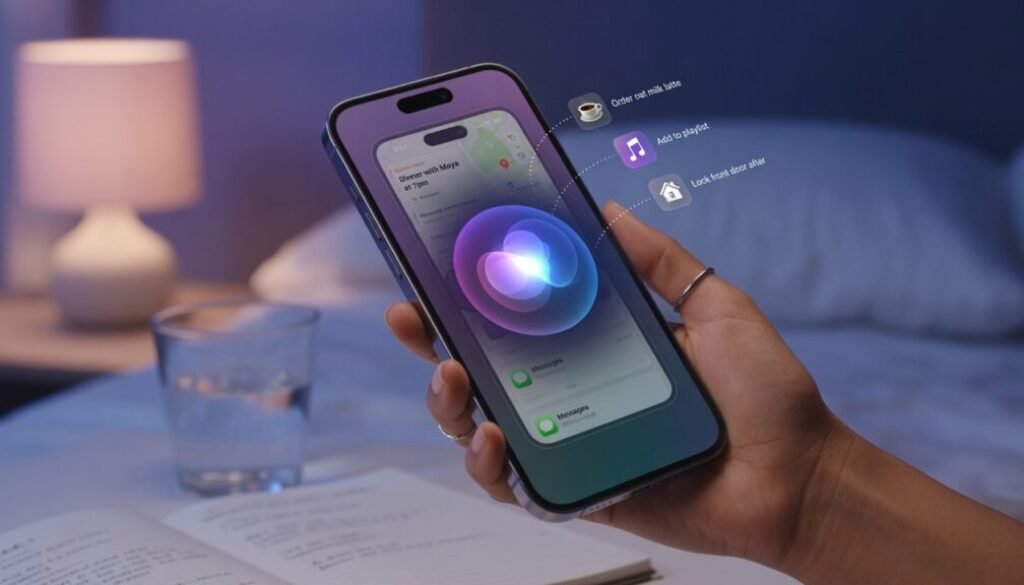
Siri AI in iOS 27: Features, Requirements, and How It Works
Apple’s Siri has undergone the most dramatic transformation in its history with iOS 27. The assistant is no longer a simple voice-command tool but a fully contextual, generative artificial intelligence engine dubbed Siri AI. This marks Apple’s strategic pivot from a rule-based helper to a reasoning companion capable of holding multi-turn conversations, analyzing on-screen content, and executing complex cross-app tasks without manual intervention. The core promise of iOS 27 is ambient intelligence — a system that understands personal context, anticipates needs, and acts proactively. For users accustomed to ChatGPT or Claude, Siri AI finally brings equivalent sophistication into a privacy-first ecosystem. The assistant now processes language with semantic depth, handles ambiguous requests gracefully, and maintains awareness of what is happening on the display in real time.
What Siri AI Actually Does Differently
The foundational shift lies in the architecture. Older Siri versions relied on a cascade of pre-programmed intents and rigid domains. Siri AI uses a large language model optimized for on-device execution, supplemented by Apple’s Private Cloud Compute for heavier queries. This hybrid design preserves Apple’s longstanding privacy guarantees while enabling generative capabilities.
On-Screen Awareness and Contextual Action
A defining feature is on-screen awareness. When a message arrives containing an address, Siri AI can recognize the text, extract the location, and offer to add it to a contact card or open it in Maps. The assistant parses visual elements, including images, PDFs, and web pages, to provide relevant actions without switching contexts. For example, viewing a restaurant reservation in Mail triggers a suggestion to add the event to Calendar. Scrolling through a photo album and asking “Make a collage from these” results in an immediate, locally generated compilation without uploading images to a server. This deep integration with app content transforms Siri from a voice interface into a system-wide intelligence layer.
Personal Context Engine
Siri AI builds a semantic index of user data — messages, calendar events, files, photos, and browsing history — all stored exclusively on-device. When a query references “the document I was working on yesterday,” the assistant identifies the correct file without requiring explicit naming. This personal context engine understands relationships, such as “my brother” or “the project with the blue logo,” by cross-referencing contacts, shared photos, and past interactions. The system learns preferences over time. If a user frequently orders a specific coffee order through a particular app at 8:30 AM, Siri AI surfaces that action proactively on the Lock Screen. The intelligence is anticipatory rather than reactive, reducing friction in daily routines.
Cross-App Automation and App Intents
Apple’s expanded App Intents framework allows Siri AI to orchestrate actions across hundreds of third-party applications. A single command like “Prepare my weekly report” can pull data from a fitness app, compile it into a Numbers template, and attach the file to a pre-addressed email in Spark or Outlook. Developers expose granular capabilities — filtering, sorting, exporting — that Siri AI chains together based on user intent. The assistant handles multi-step workflows that previously required manual navigation. This positions Siri AI as a productivity multiplier rather than a simple query responder.
Enhanced Conversation and Follow-Up Handling
Siri AI maintains conversational state across multiple exchanges. After asking “What’s the weather in Tokyo?” a follow-up like “How about next week?” is understood without restating the location. The assistant also handles corrections naturally. Saying “No, send it to my work email instead” mid-task adjusts the action without restarting the interaction. This fluidity extends to ambiguous or incomplete requests. Rather than failing silently, Siri AI asks clarifying questions. When a user says “Remind me about the meeting,” the assistant might respond, “Which meeting — the 2 PM design review or the 4 PM client call?” This back-and-forth mirrors human conversation patterns and reduces frustration.
Privacy Architecture: On-Device Processing and PCC
Privacy remains Apple’s differentiator. Siri AI processes the majority of requests entirely on-device using the Neural Engine in A18 and M4 chips. Audio is never recorded or stored unless explicitly opted in. For computationally intensive generative tasks, Private Cloud Compute extends the device’s secure enclave to Apple’s servers, where data is processed ephemerally and never retained. Apple’s published research on foundation models optimized for on-device inference details how quantization and model distillation enable large-scale AI within constrained hardware envelopes. This approach ensures that personal context never leaves the user’s control, addressing a core criticism of cloud-dependent assistants.
Device Requirements and Compatibility
Siri AI demands substantial computational resources. The feature set is available exclusively on devices with at least 8GB of RAM and the A18 chip or newer. In practice, this means the iPhone 17 series, iPhone 16 Pro models, and iPads with M2 processors or later. Older devices retain the legacy Siri experience with improved voice recognition but lack the personal context engine, on-screen awareness, and generative capabilities. Apple’s decision to gate these features behind newer hardware reflects the genuine processing requirements of on-device large language models rather than arbitrary segmentation. Users considering an upgrade for Siri AI should evaluate whether cross-app automation and contextual intelligence meaningfully improve their workflow.
Real-World Use Cases and Productivity Gains
Professionals in fast-paced environments benefit from Siri AI’s ability to synthesize information rapidly. A financial analyst can ask “Compare Q2 revenue from the last three years and create a chart” — the assistant retrieves relevant spreadsheets, performs calculations, and generates a visualization without opening multiple applications manually. Creatives use on-screen awareness for iterative refinement. While editing a photo, commands like “Make the sky warmer” or “Crop to 16:9 and add a vignette” apply edits directly. The assistant understands visual terminology and adjusts parameters accordingly. Travelers experience reduced friction with proactive suggestions. Boarding passes appear on the Lock Screen automatically, gate changes trigger notifications, and Siri AI offers to share arrival times with designated contacts — all inferred from Wallet, Messages, and Calendar data without explicit setup. The integration with advanced hardware features in recent iPhone models demonstrates how tightly Apple couples silicon design with software intelligence. The A18 chip’s Neural Engine was purpose-built for the transformer models powering Siri AI, enabling real-time inference that would drain battery life on less optimized architectures.
Practical Tips for Maximizing Siri AI
Users transitioning from legacy Siri should adopt a conversational mindset. Speaking naturally — with pauses, corrections, and follow-ups — yields better results than robotic command phrasing. Enabling “Improve Siri” in privacy settings allows the system to learn individual speech patterns and vocabulary over time. Developers integrating App Intents should expose fine-grained actions rather than broad categories. The more specific the available intents, the more effective Siri AI’s orchestration becomes. Users benefit from reviewing which apps support deep integration in Settings, as adoption varies across the ecosystem. Finally, exploring Shortcuts in conjunction with Siri AI unlocks custom automation. Combining personal triggers — time, location, or app events — with generative actions creates bespoke workflows that extend beyond Apple’s default suggestions.
Conclusion
Siri AI in iOS 27 represents a fundamental rethinking of what a digital assistant can be. By combining on-device large language models, personal context awareness, and cross-app automation, Apple has delivered a system that competes directly with standalone AI chatbots while maintaining its privacy-first identity. The hardware requirements are steep, but the productivity gains for supported devices are substantial. As third-party developers continue adopting App Intents, Siri AI’s utility will only deepen, making it a central pillar of the Apple ecosystem for years to come.