Best laptops 2026: Premium, budget, gaming, 2-in-1, and more
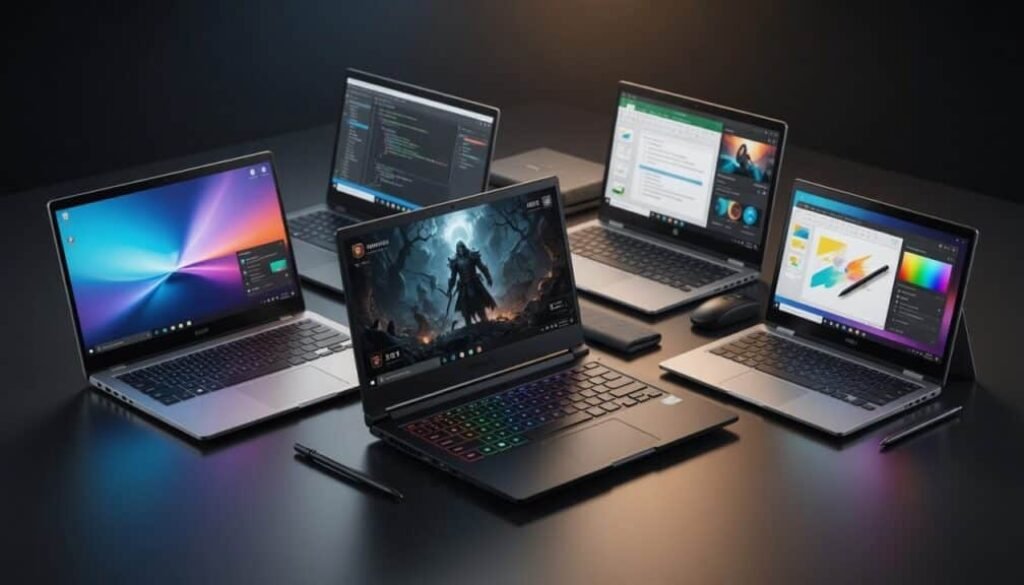
The laptop market in 2026 has splintered into more specialized categories than ever before. A single device can no longer satisfy every use case, and manufacturers have responded by engineering machines purpose-built for distinct workloads. From ultra-light premium notebooks to desktop-replacement gaming rigs, the differentiation now extends beyond processor speed into display technology, thermal architecture, and even the neural processing units that power on-device AI tasks. Understanding these categories before making a purchase decision eliminates the paralysis that comes from comparing hundreds of nearly identical spec sheets.
Premium Laptops: Engineering Excellence Without Compromise
The premium segment represents the apex of mobile computing, where material science and industrial design converge. These machines typically feature CNC-machined aluminum unibodies, haptic feedback trackpads that simulate mechanical clicks through piezoelectric actuators, and displays that push color accuracy beyond the DCI-P3 standard. Apple’s MacBook Pro lineup continues to define this category with its mini-LED backlighting technology, delivering 1,600 nits of peak brightness for HDR content while maintaining a 1,000,000:1 contrast ratio. The M-series silicon integrates CPU, GPU, and a unified memory architecture on a single package, eliminating the latency traditionally introduced by discrete component communication. This architectural decision yields tangible benefits: video editors scrub through 8K ProRes timelines without dropped frames, and software developers compile large codebases in seconds rather than minutes. On the Windows side, Dell’s XPS series and Lenovo’s ThinkPad X1 Carbon have adopted 120Hz OLED panels that were previously exclusive to gaming machines. The ThinkPad X1 Carbon Gen 13 weighs just 2.2 pounds yet passes MIL-STD-810H durability testing, demonstrating that premium no longer necessitates fragility. These laptops also incorporate dedicated hardware security modules — Microsoft’s Pluton processor is now embedded directly into the silicon, providing root-of-trust verification that survives operating system reinstalls. Battery life in the premium tier routinely exceeds 18 hours of real-world productivity workloads. This is achieved not through larger cells but through panel self-refresh technology that reduces display power draw by 40% during static content viewing, combined with processor efficiency cores that handle background tasks at under 3 watts.
Budget Laptops: Where Value Engineering Meets Practical Performance
The sub-$600 category has undergone a dramatic transformation. Where budget laptops once meant plastic chassis, dim TN panels, and sluggish eMMC storage, today’s offerings deliver experiences that rival premium machines from three years ago. The democratization of IPS display technology means even $400 laptops now ship with 1080p panels covering 100% of the sRGB color space. AMD’s Ryzen 5 and Intel’s Core i3-N series processors — specifically the Alder Lake-N architecture — have redefined baseline performance expectations. These chips integrate efficiency cores derived from the same Gracemont microarchitecture found in server-class processors, enabling genuine multitasking capability. A $500 laptop can now simultaneously run a web browser with 15 open tabs, a lightweight code editor, and a video conferencing application without thermal throttling. The budget MacBook Neo has surged in popularity precisely because it challenges assumptions about what entry-level means. Apple’s decision to bring its M2 silicon to a sub-$700 price point forced the entire Windows ecosystem to recalibrate. Acer’s Aspire and ASUS’s Vivobook lines responded by standardizing 16GB of RAM — double what was typical in this segment just two years ago — and adopting PCIe Gen 4 SSDs that deliver 5,000 MB/s sequential read speeds. The key compromise in budget machines remains build quality. Plastic chassis flex under torsional stress, and keyboards lack the 1.5mm of key travel that typists prefer. However, the gap is narrowing. Framework’s modular approach has trickled down, with several budget manufacturers now offering user-upgradeable RAM and storage — a stark departure from the soldered components that dominated this tier for a decade.
Gaming Laptops: Desktop-Class Graphics in Portable Form Factors
Gaming laptops represent the most thermally aggressive engineering challenge in mobile computing. Packing a 175-watt GPU into a chassis thinner than an inch requires vapor chamber cooling solutions, liquid metal thermal interface material, and fan designs that move 50 cubic feet of air per minute without exceeding 45 decibels of acoustic output. NVIDIA’s GeForce RTX 50-series mobile GPUs use the same Ada Lovelace architecture found in desktop cards, but with power limits tuned for battery operation. The RTX 5070 mobile delivers frame rates within 15% of its desktop counterpart at 1440p resolution, a gap that was unimaginable two generations ago. Selecting the best gaming laptop requires evaluating more than raw specifications — display response times, per-key RGB customization, and the quality of the included power brick all influence the daily experience. Mini-LED backlighting has migrated from premium productivity machines to gaming displays, enabling 1,000-zone local dimming that eliminates the blooming artifacts inherent to edge-lit panels. Combined with 240Hz refresh rates and NVIDIA’s G-Sync Pulsar technology — which modulates backlight strobing to eliminate motion blur without introducing flicker — the visual fidelity gap between gaming laptops and dedicated monitors has effectively closed. The thermal trade-off remains battery life. Gaming laptops rarely exceed four hours of unplugged operation because the discrete GPU cannot fully power down during mixed workloads. However, Advanced Optimus technology now switches between integrated and discrete graphics at the display controller level, adding 90 minutes of runtime for productivity tasks without requiring a reboot.
2-in-1 Convertibles: The Tablet-Laptop Convergence Finally Matures
The 2-in-1 category has shed its identity crisis. Early convertibles compromised both tablet ergonomics and laptop typing comfort, but modern designs — exemplified by Lenovo’s Yoga 9i and Microsoft’s Surface Pro — have solved these contradictions through engineering rather than software bandaids. The 360-degree hinge mechanism, once a source of mechanical failure, now employs geared synchronizations that distribute stress across the entire chassis length. These laptops survive 25,000 rotation cycles without developing play, and the hinge tension is calibrated to hold the display steady during stylus input while remaining openable with one hand. Microsoft’s Surface Pro 10 introduces an OLED panel with a 120Hz adaptive refresh rate that drops to 1Hz during static content viewing, preserving battery life without user intervention. The detachable keyboard now communicates over a dedicated magnetic connector that carries both power and a PCIe lane, eliminating Bluetooth latency and the need to charge a separate battery. The battle between RTX Spark and Snapdragon X2 Elite chips has particular relevance for 2-in-1 designs. These Arm-based processors deliver 20-plus hours of battery life while maintaining x86 emulation performance that makes the transition smooth for most users. For digital artists, the combination of a pressure-sensitive stylus with 4,096 levels of sensitivity and a GPU that can accelerate Adobe Photoshop’s neural filters locally transforms a convertible into a legitimate creative workstation.
Business Laptops: Security, Manageability, and Fleet Deployment at Scale
Enterprise laptops prioritize features invisible to consumers but critical for IT departments. Intel vPro certification provides remote management capabilities that function below the operating system level — technicians can reimage a corrupted machine, access BIOS settings, and apply firmware updates over a cellular connection even when Windows refuses to boot. HP’s EliteBook and Dell’s Latitude lines incorporate privacy screens that narrow the viewing angle to 30 degrees off-axis with a single keystroke, protecting sensitive data in transit environments. These machines also feature self-healing BIOS: a secondary firmware image stored on a dedicated SPI flash chip automatically restores the primary image if corruption is detected during the boot sequence. The shift toward Arm-based processors in enterprise fleets is accelerating. Qualcomm’s Snapdragon X2 Elite delivers integrated 5G modems that eliminate the need for separate cellular SKUs, and the unified memory architecture reduces the attack surface for side-channel exploits like Rowhammer. For organizations managing thousands of devices, these architectural advantages compound into meaningful reductions in total cost of ownership.
Practical Selection Framework: Matching Categories to Workloads
Choosing a laptop category requires honest assessment of primary workflows rather than aspirational use cases. A software developer who compiles large codebases benefits more from a premium machine’s thermal headroom than a gaming laptop’s GPU. Conversely, a video editor working with 8K REDCODE RAW files needs the discrete GPU and calibrated display that only a mobile workstation provides. Screen size and aspect ratio influence productivity more than processor benchmarks. A 16:10 display — now standard across premium and business lines — provides 11% additional vertical space compared to 16:9, reducing scroll frequency in documents and spreadsheets. For creative professionals, the 3:2 aspect ratio found on Microsoft’s Surface line mirrors the proportions of a physical notepad. Port selection remains a practical differentiator. Premium ultrabooks increasingly shed USB-A ports in favor of Thunderbolt 4, while gaming laptops retain full-size HDMI 2.1 and Ethernet jacks. The decision hinges on whether daily workflow involves connecting to legacy peripherals or embracing a dongle-free future. Keyboard quality is subjective but measurable. Key travel below 1.3mm introduces typos for touch typists, while above 1.5mm reduces the speed of finger transitions between keys. The industry consensus has settled at 1.5mm with 60 grams of actuation force — a specification that balances comfort with precision across extended typing sessions. Ultimately, the laptop market’s fragmentation is a feature, not a bug. It means every user can find a machine precisely tuned to their requirements, provided they understand which compromises matter and which are merely spec-sheet noise.